


Reveal CSS animation as you scroll down a page. By default, you can use it to trigger animate.css animations. But you can easily change the settings to your favorite animation library.
fadeIn Animation
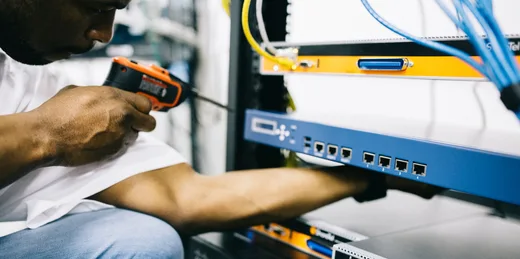
Ask what the repair includes, which parts are being replaced and what after-service cover applies. The team will explain the agreed work when your item is ready.
<img class="wow fadeIn" data-wow-duration="3s" data-wow-offset="10" src="../tfast-assets/uganda/technician-server-520x259.webp" alt="">
fadeInDown Animation
A repair quotation follows diagnosis. Parts, labour and any collection arrangements are confirmed with you before paid work proceeds.

<img class="wow fadeInDown" data-wow-duration="3s" data-wow-offset="10" src="../tfast-assets/uganda/technician-520x259.webp" alt="">
fadeInDownBig Animation
For phones, laptops and office equipment, ask about data handling and backup arrangements before handing over your device. Keep account passwords private.
<img class="wow fadeInDownBig" data-wow-duration="1.5s" data-wow-offset="10" src="../tfast-assets/uganda/technician-520x259.webp" alt="">
fadeInLeft Animation
Share your location and a working contact number when requesting collection. Availability and transport charges depend on the route and the equipment involved.
<img class="wow fadeInLeft" data-wow-duration="1.5s" data-wow-offset="10" src="../tfast-assets/uganda/technician-520x259.webp" alt="">
fadeInLeftBig Animation
An intermittent fault is easier to assess with a clear description. Note the steps that trigger it and any warning shown on the screen.
<img class="wow fadeInLeftBig" data-wow-duration="1.5s" data-wow-offset="10" src="../tfast-assets/uganda/technician-repair-520x259.webp" alt="">
fadeInRight Animation
An intermittent fault is easier to assess with a clear description. Note the steps that trigger it and any warning shown on the screen.
<img class="wow fadeInRight" data-wow-duration="3s" data-wow-offset="10" src="../tfast-assets/uganda/technician-server-520x259.webp" alt="">
fadeInRightBig Animation
Describe the fault, the device model and when the problem started. This helps the repair team plan an assessment and explain what to bring.
<img class="wow fadeInRightBig" data-wow-duration="1.5s" data-wow-offset="10" src="../tfast-assets/uganda/devices-uganda-520x259.webp" alt="">
fadeInUp Animation
An intermittent fault is easier to assess with a clear description. Note the steps that trigger it and any warning shown on the screen.
<img class="wow fadeInUp" data-wow-duration="3s" data-wow-offset="10" src="../tfast-assets/uganda/technician-520x259.webp" alt="">
fadeInUpBig Animation
For phones, laptops and office equipment, ask about data handling and backup arrangements before handing over your device. Keep account passwords private.
<img class="wow fadeInUpBig" data-wow-duration="1.5s" data-wow-offset="10" src="../tfast-assets/uganda/technician-server-520x259.webp" alt="">
Bounce Animation
A repair quotation follows diagnosis. Parts, labour and any collection arrangements are confirmed with you before paid work proceeds.
<img class="wow Bounce" data-wow-duration="1.5s" data-wow-offset="10" src="../tfast-assets/uganda/technician-520x259.webp" alt="">
Flash Animation
A repair quotation follows diagnosis. Parts, labour and any collection arrangements are confirmed with you before paid work proceeds.
<img class="wow flash" data-wow-duration="1.5s" data-wow-offset="10" src="../tfast-assets/uganda/technician-520x259.webp" alt="">
Pulse Animation
Describe the fault, the device model and when the problem started. This helps the repair team plan an assessment and explain what to bring.
<img class="wow pulse" data-wow-duration="1.5s" data-wow-offset="10" src="../tfast-assets/uganda/technician-repair-520x259.webp" alt="">
RubberBand Animation
Share your location and a working contact number when requesting collection. Availability and transport charges depend on the route and the equipment involved.
<img class="wow rubberBand" data-wow-duration="1.5s" data-wow-offset="10" src="../tfast-assets/uganda/technician-repair-520x259.webp" alt="">
Shake Animation
An intermittent fault is easier to assess with a clear description. Note the steps that trigger it and any warning shown on the screen.
<img class="wow shake" data-wow-duration="1.5s" data-wow-offset="10" src="../tfast-assets/uganda/devices-uganda-520x259.webp" alt="">
Swing Animation
Ask what the repair includes, which parts are being replaced and what after-service cover applies. The team will explain the agreed work when your item is ready.
<img class="wow swing" data-wow-duration="1.5s" data-wow-offset="10" src="../tfast-assets/uganda/devices-uganda-520x259.webp" alt="">
Tada Animation
An intermittent fault is easier to assess with a clear description. Note the steps that trigger it and any warning shown on the screen.
<img class="wow tada" data-wow-duration="1.5s" data-wow-offset="10" src="../tfast-assets/uganda/devices-uganda-520x259.webp" alt="">
Wobble Animation
For phones, laptops and office equipment, ask about data handling and backup arrangements before handing over your device. Keep account passwords private.
<img class="wow wobble" data-wow-duration="1.5s" data-wow-offset="10" src="../tfast-assets/uganda/technician-520x259.webp" alt="">
Jello Animation
Ask what the repair includes, which parts are being replaced and what after-service cover applies. The team will explain the agreed work when your item is ready.
<img class="wow jello" data-wow-duration="1.5s" data-wow-offset="10" src="../tfast-assets/uganda/technician-server-520x259.webp" alt="">
FadeIn Animation
Describe the fault, the device model and when the problem started. This helps the repair team plan an assessment and explain what to bring.
<img class="wow fadeIn" data-wow-duration="1.5s" data-wow-offset="10" src="../tfast-assets/uganda/technician-520x259.webp" alt="">
FlipInX Animation
For phones, laptops and office equipment, ask about data handling and backup arrangements before handing over your device. Keep account passwords private.
<img class="wow flipInX" data-wow-duration="1.5s" data-wow-offset="10" src="../tfast-assets/uganda/technician-repair-520x259.webp" alt="">
FlipInY Animation
Ask what the repair includes, which parts are being replaced and what after-service cover applies. The team will explain the agreed work when your item is ready.
<img class="wow flipInY" data-wow-duration="1.5s" data-wow-offset="10" src="../tfast-assets/uganda/devices-uganda-520x259.webp" alt="">
RotateIn Animation
For phones, laptops and office equipment, ask about data handling and backup arrangements before handing over your device. Keep account passwords private.
<img class="wow rotateIn" data-wow-duration="1.5s" data-wow-offset="10" src="../tfast-assets/uganda/technician-repair-520x259.webp" alt="">
SlideInUp Animation
Describe the fault, the device model and when the problem started. This helps the repair team plan an assessment and explain what to bring.
<img class="wow slideInUp" data-wow-duration="1.5s" data-wow-offset="10" src="../tfast-assets/uganda/technician-repair-520x259.webp" alt="">
SlideInDown Animation
An intermittent fault is easier to assess with a clear description. Note the steps that trigger it and any warning shown on the screen.
<img class="wow slideInDown" data-wow-duration="1.5s" data-wow-offset="10" src="../tfast-assets/uganda/technician-repair-520x259.webp" alt="">
SlideInLeft Animation
Ask what the repair includes, which parts are being replaced and what after-service cover applies. The team will explain the agreed work when your item is ready.
<img class="wow slideInLeft" data-wow-duration="1.5s" data-wow-offset="10" src="../tfast-assets/uganda/technician-520x259.webp" alt="">
SlideInRight Animation
Describe the fault, the device model and when the problem started. This helps the repair team plan an assessment and explain what to bring.
<img class="wow SlideInright" data-wow-duration="1.5s" data-wow-offset="10" src="../tfast-assets/uganda/devices-uganda-520x259.webp" alt="">
ZoomIn Animation
For phones, laptops and office equipment, ask about data handling and backup arrangements before handing over your device. Keep account passwords private.
<img class="wow zoomIn" data-wow-duration="1.5s" data-wow-offset="10" src="../tfast-assets/uganda/technician-520x259.webp" alt="">