



In brief
Ransomware is hitting East African businesses with increasing frequency. Learn how it works, how to prevent an attack and what to do if you are targeted.
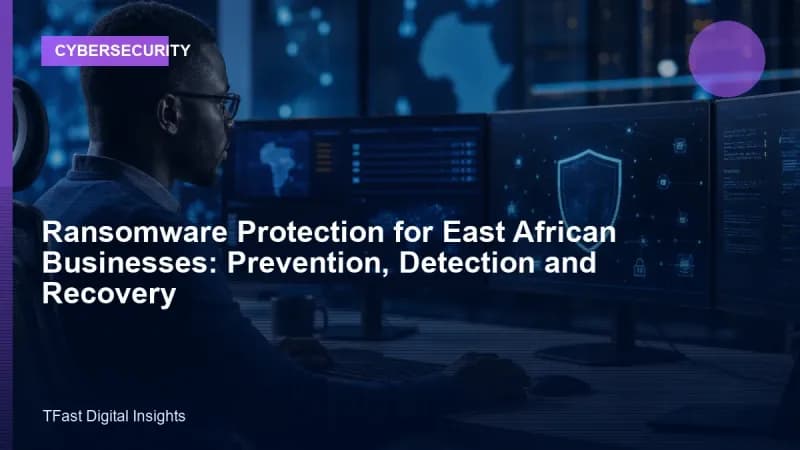
Ransomware is the fastest-growing cyber threat to African businesses. Attackers encrypt your files (customer records, financial data, emails, everything) and demand payment (typically in Bitcoin or USDT) to unlock them. Hospitals, SACCOs, law firms, schools and small businesses across Uganda, Kenya and Tanzania have been hit. Many never fully recover.
How ransomware infects your systems
Entry point 1: Phishing emails (most common)
An employee receives an email that looks legitimate: an invoice, a delivery notice, a job application. It contains an attachment (PDF, Word document with macros, ZIP file) or a link. They open it. The ransomware installs silently and begins encrypting files.
Entry point 2: Compromised software / unpatched systems
Outdated software with known vulnerabilities. Attackers scan the internet for unpatched systems and deploy ransomware automatically. A Windows server that has not been updated in 6 months is a sitting target.
Entry point 3: Remote Desktop Protocol (RDP) exposed to the internet
Many businesses leave RDP (port 3389) open to the internet so staff can work remotely. Attackers run automated tools that try thousands of password combinations. Once in, they deploy ransomware manually.
Entry point 4: Infected USB drives
A "client" leaves a USB drive at reception. Curious, someone plugs it in. The drive auto-runs malware that encrypts the network.
Entry point 5: Pirated software and cracks
Downloading cracked software, keygens or "free activation tools" from untrusted sites. Many contain ransomware as the hidden payload. This is a major risk in East Africa where pirated software use is common.
How to prevent a ransomware attack
1. Back up everything, the 3-2-1 rule
This is the single most important protection. Follow the 3-2-1 rule:
- 3 copies of your data (production + 2 backups)
- 2 different media types (local external drive + cloud)
- 1 copy off-site (cloud or physical drive stored elsewhere)
Critical: Backups must be offline or immutable. If your backup drive is permanently connected to the network, ransomware will encrypt it too. Use cloud backup with versioning (keeps previous versions) or rotate external drives kept disconnected.
2. Keep everything updated
- Update Windows, macOS and all software monthly. Enable automatic updates where possible.
- Update all plugins, themes and CMS (WordPress, etc.) within days of security patches.
- Replace software that is no longer receiving security updates (Windows 7, old versions of Windows Server, outdated routers).
3. Train your staff
Your employees are your first line of defence, or your weakest link. Train them to:
- Never open unexpected attachments, even from known senders.
- Hover over links to see the actual URL before clicking.
- Verify unusual requests (e.g., "CEO" emailing urgently for a wire transfer) by phone call.
- Never plug in unknown USB drives.
- Report suspicious emails immediately, do not be embarrassed if you clicked; reporting quickly can stop an attack.
4. Use security software
- Endpoint protection: Windows Defender (built into Windows 10/11) is adequate for small businesses. For larger networks, consider Bitdefender, Kaspersky or Sophos.
- Email filtering: use email services that scan attachments and filter spam/phishing (Google Workspace and Microsoft 365 do this well).
- DNS filtering: services like Cisco Umbrella or free Quad9 (9.9.9.9) block known malicious websites.
5. Restrict access
- Staff should only have access to files and systems they need for their job. The receptionist does not need access to the finance server.
- Remove admin rights from everyday user accounts. Staff should use standard accounts; admin accounts only for IT tasks.
- Disable RDP if not needed. If RDP is needed, place it behind a VPN, never expose it directly to the internet.
6. Secure your network
- Change default passwords on routers, WiFi and any network equipment.
- Segment your network, guest WiFi should not access your internal business network.
- Use a firewall (hardware or software) and keep it configured.
If you are attacked: What to do
Do NOT pay the ransom
Law enforcement agencies (Interpol, Uganda Police Cyber Crime Unit, Kenya's DCI) advise against paying. Reasons:
- Paying does not guarantee you get your files back, about 40% of victims who pay never receive working decryption keys.
- Paying funds criminal operations and makes you a target for repeat attacks ("this business pays").
- Decryptors are sometimes available for free (see nomoreransom.org, a joint project by law enforcement and security companies).
Step-by-step response
-
Isolate immediately: disconnect the infected computer from the network (unplug Ethernet, disable WiFi). This prevents the ransomware from spreading to other computers and shared drives.
-
Do not turn off the computer: leave it on for forensic analysis. Some ransomware has flaws that security researchers can exploit to create free decryptors, but this requires the malware still in memory.
-
Identify the ransomware: take a photo of the ransom note (do not interact with it). Note the file extension added to encrypted files (.lockbit.xxx, etc.). Upload a sample encrypted file and the ransom note to ID Ransomware (id-ransomware.malwarehunterteam.com), a free service that identifies the strain and tells you if a free decryptor exists.
-
Report to authorities: Uganda: Cyber Crime Unit, CID Headquarters Kibuli. Kenya: DCI Cyber Crime Unit. Also report to your national CERT (Computer Emergency Response Team).
-
Restore from backup: once you have confirmed the infection is contained, wipe affected systems completely and restore from clean backups. Do not just "remove the virus", rebuild from a known-good state.
-
Investigate how they got in: if you do not close the entry point, they will be back. Was it a phishing email? An unpatched server? Weak RDP password? Fix it.
Recovery planning: Do this before you need it
- Know your backup restoration time: test restoring from backup at least once. Many businesses discover their backups are corrupted only when they need them.
- Have an incident response contact list: who to call (IT support, bank, police, insurance, key clients) and their numbers, printed and stored offline.
- Consider cyber insurance: some insurers in East Africa now offer cyber coverage that includes incident response, data recovery and legal costs.
Special considerations for East African businesses
- Power outages: sudden power loss during a backup can corrupt it. Use a UPS (uninterruptible power supply) for servers and backup devices.
- Internet reliability: cloud backup is ideal, but if your internet is unreliable, combine cloud with local external drive backups rotated daily or weekly.
- Pirated software risk: invest in genuine software licences. The cost of a Windows licence is trivial compared to the cost of a ransomware attack. If budget is tight, use free/open-source alternatives (LibreOffice instead of pirated Microsoft Office, Linux instead of pirated Windows for servers).
TFast Digital Agency builds secure business systems with automated backups, proper access controls and security hardening as standard. If your business needs a security review or a custom system built with security from the ground up, we are ready to help.
<!-- SEO keyword optimization: ransomware protection east africa -->Focusing on ransomware protection east africa is essential for modern business success.