


In brief
Small businesses are the #1 target for cyber attacks. Learn the essential security practices that protect your data, customers and reputation.
Small businesses are not too small to be hacked. They are the preferred target. Attackers know small businesses rarely have dedicated security staff, use default passwords and skip updates. One breach can destroy customer trust, trigger regulatory fines and, in many cases, put you out of business. Here is what to do about it.
The non-negotiable basics
1. Strong, unique passwords everywhere
Every account (email, hosting, banking, social media, admin panels) needs a unique password of at least 12 characters. Use a password manager (Bitwarden is free and excellent). Never reuse passwords. If one service is breached, reused passwords give attackers access to everything else.
2. Two-factor authentication (2FA)
Enable 2FA on every account that offers it: especially email, domain registrar, hosting, and payment processors. A stolen password alone should never be enough to access your critical accounts.
3. Keep everything updated
Outdated software is the #1 entry point for attacks. Update your CMS (WordPress, etc.), plugins, server operating system and all libraries monthly. Subscribe to security announcements for software you depend on.
4. SSL/TLS everywhere
Your website must use HTTPS. Without it, data between your customers and your server travels in plain text, readable by anyone on the same WiFi network. Let's Encrypt provides free SSL certificates. There is no excuse for HTTP in 2024.
5. Backups that actually work
Follow the 3-2-1 rule: three copies of your data, on two different types of media, with one copy off-site. Test your backups monthly by actually restoring from them. A backup you have never tested is a wish, not a backup.
Protecting customer data
- Collect only what you need. Every piece of customer data you store is a liability. If you do not need it, do not collect it.
- Encrypt sensitive data at rest. Customer passwords (hashed, never plain text), payment details (tokenised via your payment gateway, never store raw card numbers), personal identification numbers.
- Implement access controls. Not every employee needs access to everything. The receptionist does not need the financial database. Grant minimum necessary access.
Common attack vectors to defend against
- Phishing: train your team to spot suspicious emails. No, the "CEO" did not suddenly need an urgent wire transfer from a Gmail address.
- SQL injection: use parameterised queries or an ORM. Never concatenate user input into SQL strings.
- Cross-site scripting (XSS): escape all user-generated content before displaying it. Modern frameworks (Laravel Blade, React) do this by default, do not bypass it.
- Brute force: rate-limit login attempts. After 5 failed tries, lock the account for 15 minutes.
Build security into your software from day one
If you are having custom software built, security must be in the specification. Ask your developer: how are passwords stored? Is all traffic HTTPS? Are there automated backups? How are API keys managed? If they cannot answer clearly, find a different developer.
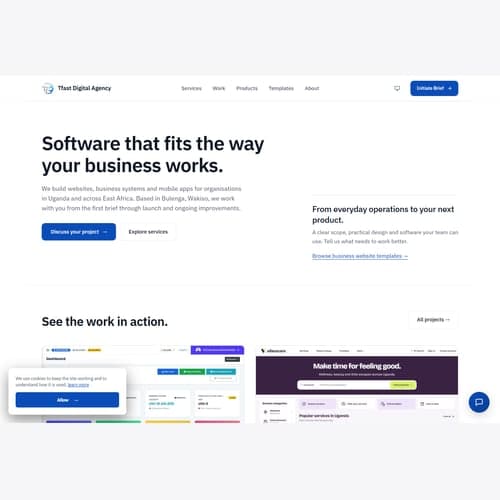
TFast Digital Agency builds secure systems by default: hashed passwords, encrypted sensitive data, parameterised queries, rate limiting, automated backups and regular security updates are standard on every project, not optional extras.
<!-- SEO keyword optimization: cybersecurity basics small business -->Focusing on cybersecurity basics small business is essential for modern business success.