


In brief
A practical step-by-step guide to integrating MTN MoMo and Airtel Money payments into any website, covering APIs, webhooks, error handling and testing.
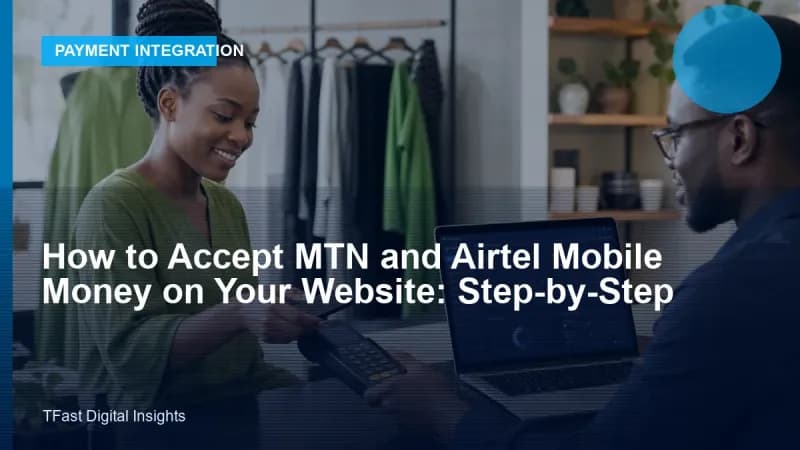
Mobile money is how Africa pays. If your website does not accept MTN Mobile Money and Airtel Money, you are turning away the majority of your potential customers. Here is how to integrate both, properly.
The architecture
You have two paths:
Path A: Payment aggregator (recommended for most)
Use a gateway like Flutterwave that already integrates MTN and Airtel. One API, one webhook, one reconciliation process. Faster to implement. Slightly higher fees (3.8% vs 1–2% direct). Best for: businesses that want to launch quickly with minimal technical complexity.
Path B: Direct API integration
Integrate directly with MTN MoMo API and Airtel Money API. Lower fees per transaction. Full control over the user experience. Requires more development work. Best for: high-volume businesses where the fee difference justifies the development investment.
Direct MTN Mobile Money integration
Step 1: Get API access
Register on the MTN MoMo Developer Portal. You will receive:
X-Reference-Id(your API user ID, a UUID)X-API-Key(your subscription key)Ocp-Apim-Subscription-Key(primary or secondary key from the Azure API Management portal)
The API uses a UUID v4 primary key for the API user. You must generate this and provide it during user creation.
Step 2: Create an API user
$referenceId = Str::uuid(); // Generate and store this

$response = Http::withHeaders([
    'X-Reference-Id' => $referenceId,
    'Ocp-Apim-Subscription-Key' => config('momo.subscription_key'),
])->post("https://sandbox.momodeveloper.mtn.com/v1_0/apiuser", [
    'providerCallbackHost' => 'https://yoursite.com/api/momo/callback',
]);

// Response: 201 Created — user created
Step 3: Generate an API key for the user
$response = Http::withHeaders([
    'Ocp-Apim-Subscription-Key' => config('momo.subscription_key'),
])->post("https://sandbox.momodeveloper.mtn.com/v1_0/apiuser/{$referenceId}/apikey");

$apiKey = $response->json()['apiKey'];
// Store this securely — it cannot be retrieved again
Step 4: Create an access token
$response = Http::withHeaders([
    'Authorization' => 'Basic ' . base64_encode("{$referenceId}:{$apiKey}"),
    'Ocp-Apim-Subscription-Key' => config('momo.subscription_key'),
])->post("https://sandbox.momodeveloper.mtn.com/collection/token/");

$accessToken = $response['access_token']; // Expires in 3600 seconds
Step 5: Request payment
$transactionId = Str::uuid();

$response = Http::withHeaders([
    'Authorization' => "Bearer {$accessToken}",
    'X-Reference-Id' => $transactionId,
    'X-Target-Environment' => 'mtnuganda', // or mtnsandbox for testing
    'Ocp-Apim-Subscription-Key' => config('momo.subscription_key'),
])->post("https://sandbox.momodeveloper.mtn.com/collection/v1_0/requesttopay", [
    'amount' => '50000',       // Amount in UGX (no decimals)
    'currency' => 'EUR',        // Always EUR for UGX in MTN MoMo API
    'externalId' => (string) $order->id,
    'payer' => [
        'partyIdType' => 'MSISDN',
        'partyId' => '256712345678',  // Customer's phone number
    ],
    'payerMessage' => 'Payment for Order #' . $order->id,
    'payeeNote' => 'Thank you for your order',
]);
Step 6: Check payment status
$response = Http::withHeaders([
    'Authorization' => "Bearer {$accessToken}",
    'X-Target-Environment' => 'mtnuganda',
    'Ocp-Apim-Subscription-Key' => config('momo.subscription_key'),
])->get("https://sandbox.momodeveloper.mtn.com/collection/v1_0/requesttopay/{$transactionId}");

$status = $response['status']; // PENDING, SUCCESSFUL, FAILED
Webhook handling
Both MTN and Airtel send webhooks to your callback URL when payment status changes:
public function handleMomoCallback(Request $request): JsonResponse
{
    $data = $request->all();

    // Always verify the payment status via the API — never trust the webhook alone
    $orderId = $data['externalId'];
    $transactionId = $data['referenceId'];

    // Verify with MTN API using the stored transaction ID
    $verified = $this->verifyPaymentStatus($transactionId);

    if ($verified['status'] === 'SUCCESSFUL') {
        $order = Order::find($orderId);
        $order->markAsPaid($transactionId);
    }

    return response()->json(['status' => 'OK']);
}
Critical gotchas
- MTN MoMo uses EUR as currency code for UGX: yes, really. Amount 50000, currency EUR = 50,000 UGX.
- Never trust the webhook alone: always verify server-side.
- Handle timeouts gracefully: the customer has ~60 seconds to approve on their phone. Poll the status API.
- Idempotency is critical: use
X-Reference-Idto prevent double charges on retry. - Sandbox testing: MTN provides a sandbox environment. Test thoroughly before going live.
TFast Digital Agency integrates mobile money payments (MTN MoMo, Airtel Money, M-Pesa) into websites, e-commerce stores and mobile apps with secure, battle-tested code. We handle the entire API integration, webhook processing and payment reconciliation so you can focus on your business.
<!-- SEO keyword optimization: accept mtn airtel mobile money website -->Focusing on accept mtn airtel mobile money website is essential for modern business success.